JBL Quantum 400 Wired Gaming Headphones - Clearance / Open Box
JBL Quantum 400 Wired Gaming Headphones
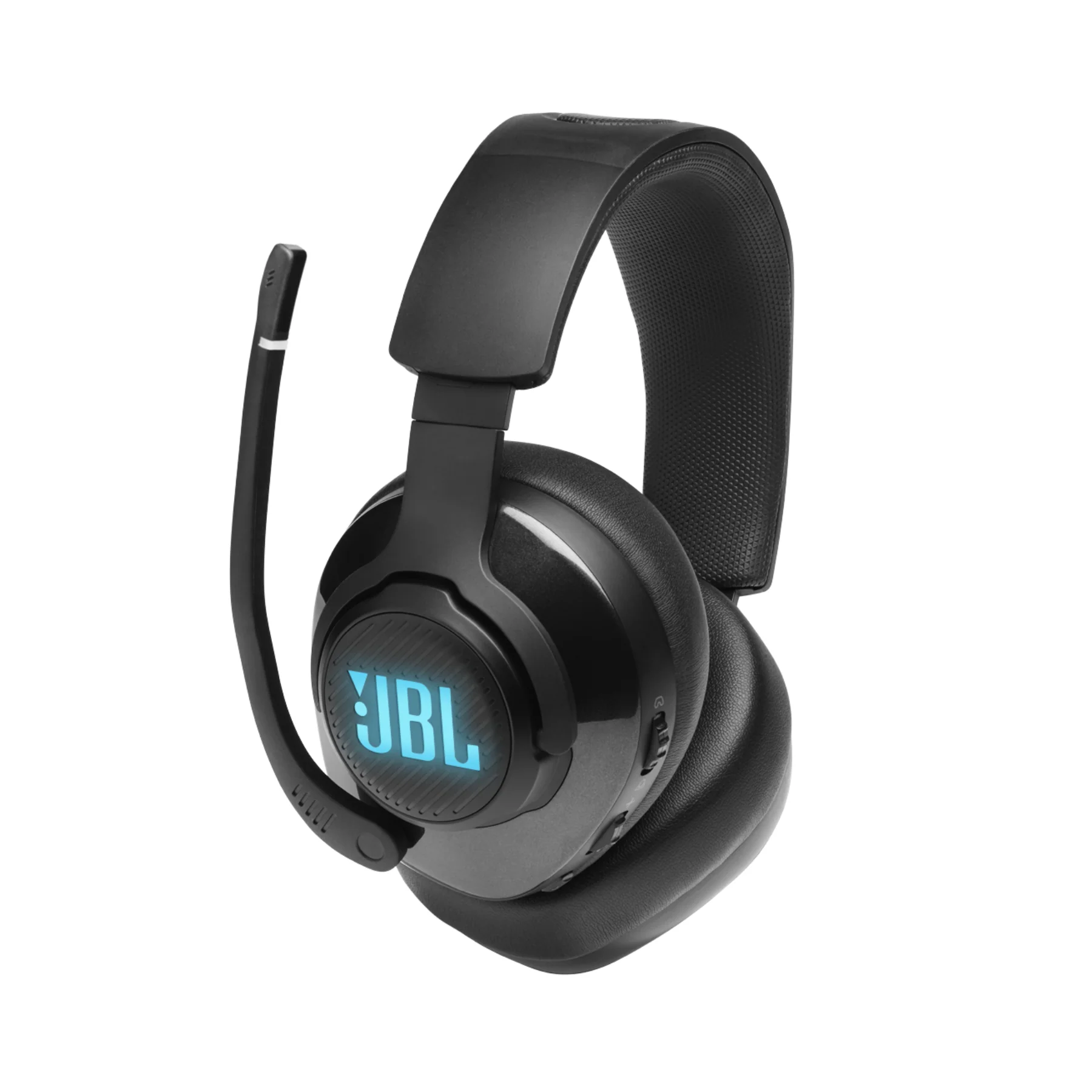
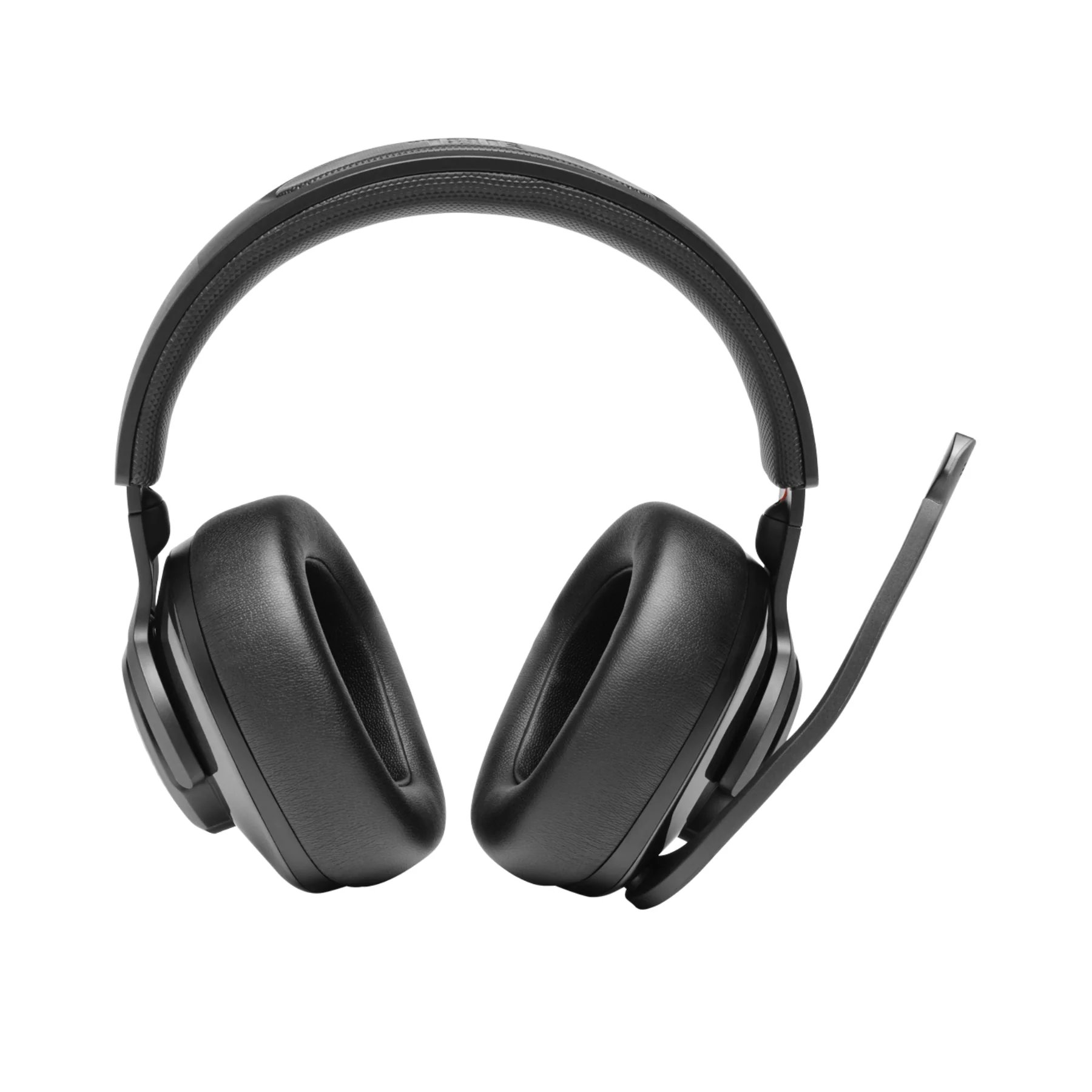
Step into a world of immersive gaming with the JBL Quantum 400 Wired Over-Ear Gaming Headset, engineered for precision and performance. With JBL’s QuantumSOUND Signature, this headset offers competitive-grade audio that keeps you alert and engaged, helping you anticipate every move in real-time. Featuring a flip-up bi-directional microphone with voice focus, memory foam ear cushions, and a lightweight headband, comfort and clarity are prioritized for long gaming sessions. Compatible across platforms including PC, Mac, PS4, Xbox One, Nintendo Switch, and mobile, the JBL Quantum 400 ensures you’re ready to game on any device with maximum versatility and control.
Specifications
- Driver Size: 50mm
- Driver Magnet Type: Neodymium
- Headphone Frequency Response: 20 Hz – 20 kHz
- Input Impedance: 32 Ohms
- Microphone Type: Bi-Directional
- Microphone Sensitivity: -40 dB
- Microphone Frequency Response: 100 Hz – 10 kHz
- Connectivity: Wired – USB Type A and 3.5mm Audio Cable
- Cord Length: 9.80 ft (3.00 m)
- Platform Compatibility: PC, Mac, PS4, Xbox One, Nintendo Switch, Mobile
- Certifications: Discord Certified, TeamSpeak Compatible
- Ear Cushions: Memory Foam
- In the Box: Headset, USB Cable, 3.5mm Audio Cable
- Warranty: 1 Year Limited (Parts & Labor)
Key Features List
- Powerful 50mm Drivers: Enjoy deep bass and sharp high tones with JBL’s QuantumSOUND Signature, delivering immersive soundscapes tailored for competitive gaming.
- Voice-Focused Flip-Up Mic: Communicate clearly with teammates using the noise-reducing bi-directional microphone that flips up to mute when not in use.
- Audio Control Dial: Easily balance game and chat audio using the integrated dial, ensuring you never miss a crucial detail during team coordination.
- Superior Comfort Design: Plush memory foam ear cushions and a lightweight, adjustable headband keep you comfortable through extended sessions.
- Versatile Connectivity: Comes equipped with both USB Type A and 3.5mm jack for seamless use across PC, Mac, consoles, and mobile devices.
- Multiplayer Certified: Officially certified for Discord and compatible with TeamSpeak, giving you reliable performance across communication platforms.
Q&A
- Q: What is the JBL Quantum 400?
- A: It's a wired gaming headset with JBL QuantumSURROUND™, DTS headphone:X v2.0, a voice focus boom mic, and memory foam cushions. It’s designed for immersive gaming sound and long-term comfort.
- Q: What devices is it compatible with?
- A: PC, Xbox One/Series X|S, PlayStation 4/5, Nintendo Switch.
- Q: What are the key features?
- A: JBL QuantumSURROUND™ for immersive surround sound.
- A: JBL QuantumSOUND Signature for precise audio cues.
- A: Memory foam ear cushions and lightweight headband.
- A: Game-chat balance dial.
- A: Certified for Discord and compatible with TeamSpeak.
- Q: How do I configure 7.1 Surround on PC?
- A: Search for "Sound" → Select “Change System Sounds.”
- A: Set Quantum headset as default for Speakers and Communications.
- A: Right-click "Speakers" → “Configure Speakers.”
- A: Select “7.1 Surround” and proceed through prompts.
- A: Setup saves after reboots or reconnections.
- Q: How do I stop hearing my own voice (sidetone)?
- A: Open JBL QuantumENGINE → Microphone tab → Set sidetone to 0.
- Q: Does RGB lighting work with all connections?
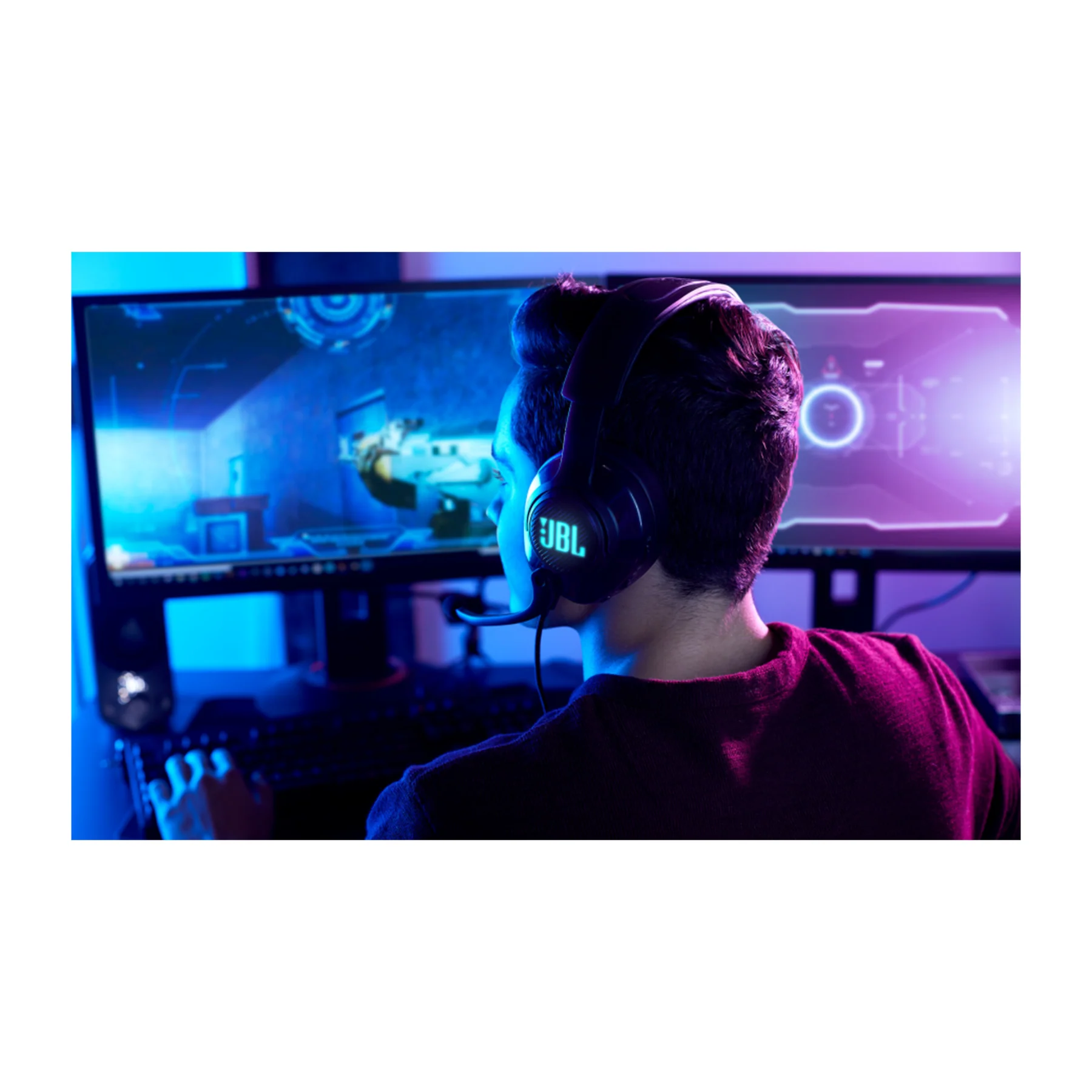
- A: Only with USB (e.g. on PS4). No RGB when using a 3.5mm jack.
- Q: How do I clean the headset?
- A: Use a damp cloth. Do not let water enter the speaker chamber.
- Q: How do I set up the microphone?
- A: Only use one voice chat app at a time.
- A: Flip the mic fully down until it clicks.
- A: Red LED = muted.
- A: Check PC Sound settings: Control Panel → Sound → Recording → Set Quantum headset as default → Adjust Levels under Properties.
- Q: How do I balance game and chat audio?
- A: Rotate the balance dial. A notch indicates 50/50 balance. (Quantum ONE uses a visual slider.)
- Q: What can you do with JBL QuantumENGINE software?
- A: Adjust EQ and spatial sound.
- A: Configure RGB lighting.
- A: Manage mic settings.
- A: Update firmware.
Quantum 400 Quick Start Guide
Original: $79.00
-65%$79.00
$27.65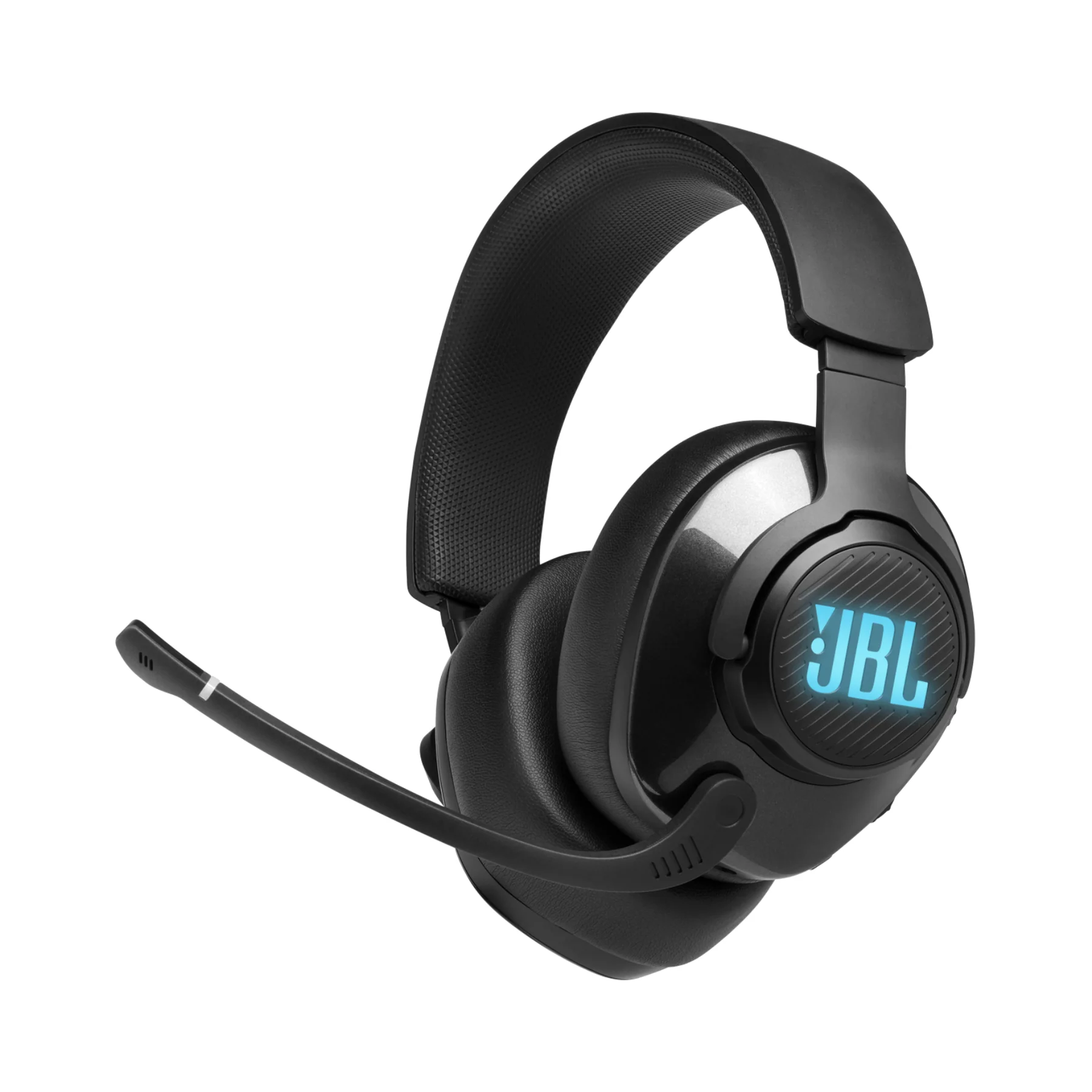
Description
JBL Quantum 400 Wired Gaming Headphones
Step into a world of immersive gaming with the JBL Quantum 400 Wired Over-Ear Gaming Headset, engineered for precision and performance. With JBL’s QuantumSOUND Signature, this headset offers competitive-grade audio that keeps you alert and engaged, helping you anticipate every move in real-time. Featuring a flip-up bi-directional microphone with voice focus, memory foam ear cushions, and a lightweight headband, comfort and clarity are prioritized for long gaming sessions. Compatible across platforms including PC, Mac, PS4, Xbox One, Nintendo Switch, and mobile, the JBL Quantum 400 ensures you’re ready to game on any device with maximum versatility and control.
Specifications
- Driver Size: 50mm
- Driver Magnet Type: Neodymium
- Headphone Frequency Response: 20 Hz – 20 kHz
- Input Impedance: 32 Ohms
- Microphone Type: Bi-Directional
- Microphone Sensitivity: -40 dB
- Microphone Frequency Response: 100 Hz – 10 kHz
- Connectivity: Wired – USB Type A and 3.5mm Audio Cable
- Cord Length: 9.80 ft (3.00 m)
- Platform Compatibility: PC, Mac, PS4, Xbox One, Nintendo Switch, Mobile
- Certifications: Discord Certified, TeamSpeak Compatible
- Ear Cushions: Memory Foam
- In the Box: Headset, USB Cable, 3.5mm Audio Cable
- Warranty: 1 Year Limited (Parts & Labor)
Key Features List
- Powerful 50mm Drivers: Enjoy deep bass and sharp high tones with JBL’s QuantumSOUND Signature, delivering immersive soundscapes tailored for competitive gaming.
- Voice-Focused Flip-Up Mic: Communicate clearly with teammates using the noise-reducing bi-directional microphone that flips up to mute when not in use.
- Audio Control Dial: Easily balance game and chat audio using the integrated dial, ensuring you never miss a crucial detail during team coordination.
- Superior Comfort Design: Plush memory foam ear cushions and a lightweight, adjustable headband keep you comfortable through extended sessions.
- Versatile Connectivity: Comes equipped with both USB Type A and 3.5mm jack for seamless use across PC, Mac, consoles, and mobile devices.
- Multiplayer Certified: Officially certified for Discord and compatible with TeamSpeak, giving you reliable performance across communication platforms.
Q&A
- Q: What is the JBL Quantum 400?
- A: It's a wired gaming headset with JBL QuantumSURROUND™, DTS headphone:X v2.0, a voice focus boom mic, and memory foam cushions. It’s designed for immersive gaming sound and long-term comfort.
- Q: What devices is it compatible with?
- A: PC, Xbox One/Series X|S, PlayStation 4/5, Nintendo Switch.
- Q: What are the key features?
- A: JBL QuantumSURROUND™ for immersive surround sound.
- A: JBL QuantumSOUND Signature for precise audio cues.
- A: Memory foam ear cushions and lightweight headband.
- A: Game-chat balance dial.
- A: Certified for Discord and compatible with TeamSpeak.
- Q: How do I configure 7.1 Surround on PC?
- A: Search for "Sound" → Select “Change System Sounds.”
- A: Set Quantum headset as default for Speakers and Communications.
- A: Right-click "Speakers" → “Configure Speakers.”
- A: Select “7.1 Surround” and proceed through prompts.
- A: Setup saves after reboots or reconnections.
- Q: How do I stop hearing my own voice (sidetone)?
- A: Open JBL QuantumENGINE → Microphone tab → Set sidetone to 0.
- Q: Does RGB lighting work with all connections?
- A: Only with USB (e.g. on PS4). No RGB when using a 3.5mm jack.
- Q: How do I clean the headset?
- A: Use a damp cloth. Do not let water enter the speaker chamber.
- Q: How do I set up the microphone?
- A: Only use one voice chat app at a time.
- A: Flip the mic fully down until it clicks.
- A: Red LED = muted.
- A: Check PC Sound settings: Control Panel → Sound → Recording → Set Quantum headset as default → Adjust Levels under Properties.
- Q: How do I balance game and chat audio?
- A: Rotate the balance dial. A notch indicates 50/50 balance. (Quantum ONE uses a visual slider.)
- Q: What can you do with JBL QuantumENGINE software?
- A: Adjust EQ and spatial sound.
- A: Configure RGB lighting.
- A: Manage mic settings.
- A: Update firmware.
Quantum 400 Quick Start Guide